If you advertise on Facebook or Instagram or plan to there’s one free tool you absolutely should not ignore: the Facebook Ad Library.
Whether you’re a business owner, marketer, content creator, or brand strategist, the Facebook Ad Library gives you direct insight into what ads are running right now, who is running them, how long they’ve been active, and how brands communicate with their audiences.
In this detailed guide, you’ll learn what the Facebook Ad Library is, how it works, how to use it step-by-step, and how to turn the insights you find into a competitive advantage without copying anyone.
What Is the Facebook Ad Library?
The Facebook Ad Library is a public, searchable database created by Meta that displays ads running across its platforms, including:
- Messenger
- Audience Network
Its main purpose is transparency. Anyone whether logged into Facebook or not can see ads being run by businesses, organizations, and public figures.
Originally launched to bring clarity to political and social issue advertising, the Ad Library now includes all active ads across Meta platforms, making it one of the most powerful free research tools for digital marketing.
Why the Facebook Ad Library Matters for Marketers and Businesses
Before the Ad Library existed, advertisers relied on guesswork, assumptions, or expensive spy tools to understand competitors’ strategies. Now, Meta provides this data openly.
With the Facebook Ad Library, you can:
- See what your competitors are advertising
- Identify winning offers and messaging
- Understand creative trends in your industry
- Reduce wasted ad spend
- Improve your copywriting and visuals
In short, it allows you to observe the market before you spend money.
What Ads Are in the Facebook Ad Library and What Information Will You Find?
The Ad Library includes:
- All currently active ads on Meta platforms
- Inactive ads related to social issues, elections, or politics, stored for transparency
Information You’ll See for Most Ads
For standard ads, you will typically find:
- Ad creative (images, videos, text)
- Advertiser or Facebook Page name
- Platforms where the ad appears
- Ad start date
- Whether the ad is active
- Multiple variations of the same ad
Additional Transparency for Political and Social Issue Ads
For ads related to politics or social issues, the library provides:
- Estimated ad spend ranges
- Number of impressions
- Demographic breakdown (age, gender, location)
- Funding disclaimers
This makes the Facebook Ad Library not just informative, but accountable.
Do You Need a Facebook Account to Use the Facebook Ad Library?
No.
You do not need a Facebook or Instagram account to access the Facebook Ad Library.
This is especially useful for:
- Researchers
- Journalists
- Business owners
- Agencies
- Advertisers who prefer neutrality
Anyone with internet access can use it.
How to Use the Facebook Ad Library (Step-by-Step)
Using the Facebook Ad Library is simple, even if you are not tech savvy.
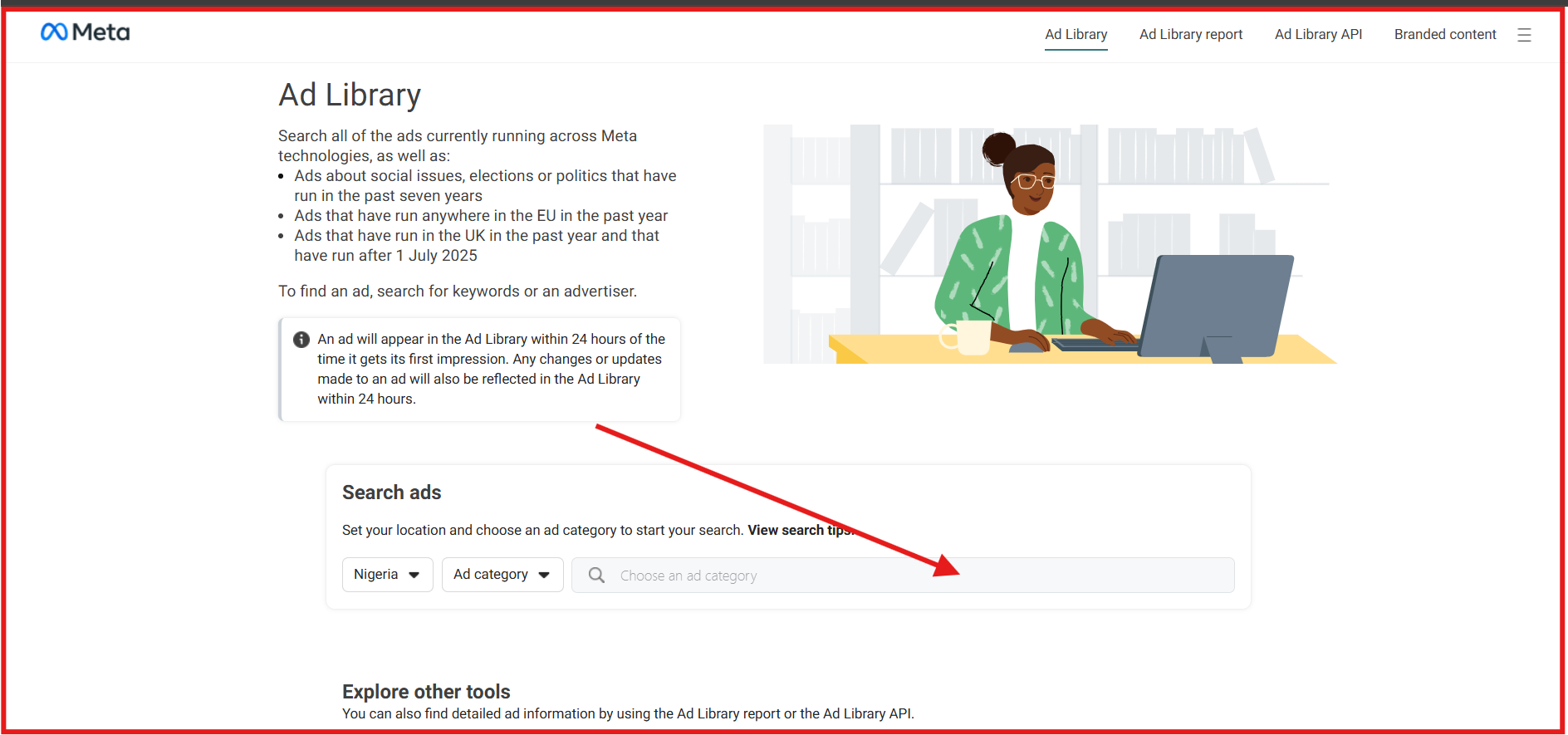
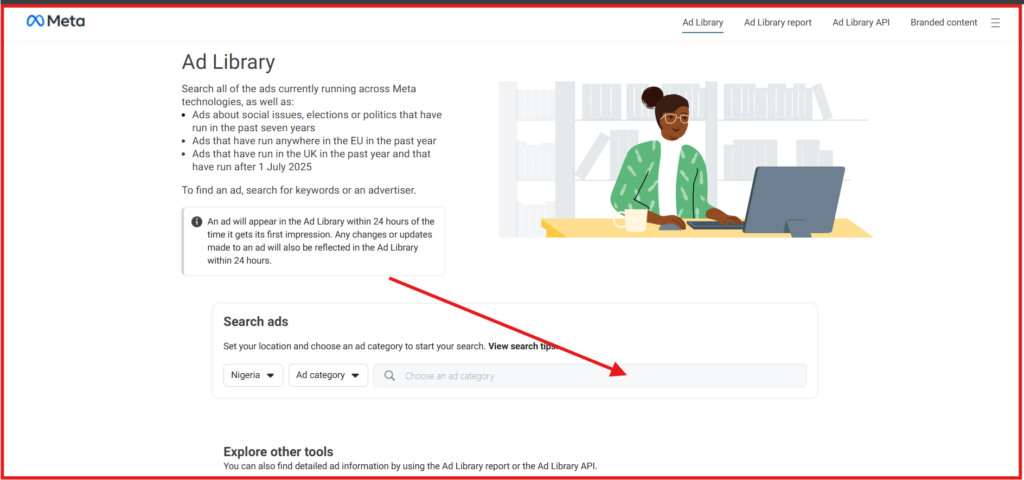
Step 1: Access the Ad Library
Visit the Facebook Ad Library page directly from Meta.
Step 2: Choose Your Country
Select the country you want to research. Ads are displayed based on location.
Step 3: Select an Ad Category
You will choose between:
- All Ads
- Ads about Social Issues, Elections, or Politics
For most businesses, “All Ads” is the best option.
Step 4: Search by Keyword, Brand, or Page Name
You can search:
- A competitor’s brand name
- A Facebook Page
- Keywords related to your niche
Step 5: Filter and Analyze
Filter ads by:
- Platform (Facebook, Instagram, Messenger)
- Media type (image, video)
- Active status
At this point, the real work begins.
How to Use the Facebook Ad Library to Find Your Competitor’s Ads
One of the most valuable uses of the Facebook Ad Library is competitor research.
What to Pay Attention to When Studying Competitor Ads
1. Ads Running for a Long Time
If an ad has been active for weeks or months, it’s likely:
- Profitable
- Generating leads or sales
- Performing well enough to keep funding
Short-lived ads often indicate testing or poor performance.
2. Repeated Messaging
Notice patterns because these reveal what resonates with the audience:
- Similar headlines
- Reused offers
- Consistent hooks
3. Creative Style
Observe:
- Video vs image ads
- User-generated content (UGC)
- Lifestyle vs product-focused visuals
- Use of captions and subtitles
4. Calls-to-Action
Are they pushing:
- “Shop Now”
- “Learn More”
- “Sign Up”
- “Download Free Guide”
This tells you their conversion goal.
4 More Reasons And Ways to Use the Facebook Ad Library
Beyond competitor spying, the Facebook Ad Library has deeper strategic uses.
1. Discover Winning Ad Angles
Ad angles are how brands frame their message:
- Problem-solution
- Emotional storytelling
- Fear-based
- Aspirational
- Educational
By studying multiple ads in your niche, you will quickly spot which angles dominate and which are underused.
2. Validate Your Ad Ideas Before Spending Money
Before launching an ad campaign, search for similar products or services.
- If many brands are advertising → demand exists
- If few or none are advertising → proceed cautiously or test small
This helps reduce risk.
3. Improve Your Copywriting and Creative Direction
The Ad Library is a free copywriting classroom.
Study:
- Opening hooks
- Sentence length
- Use of emojis
- Story vs direct selling
- How objections are handled
You will naturally become a stronger advertiser.
4. Identify Industry Trends Early
The Ad Library reveals:
- New product launches
- Seasonal campaigns
- Shifts in visual style
- Platform focus (Reels, Stories, Feed)
This allows you to adapt faster than competitors.
Use the Facebook Ad Library to Stand Out From the Competition
The goal of using the Facebook Ad Library is not to copy ads copying leads to audience fatigue and poor brand trust.
Instead, use it to:
- Identify messaging gaps
- Avoid overused visuals
- Clarify your value proposition
- Communicate benefits more simply
- Build stronger emotional connections
The brands that win are not louder, they are clearer and more relevant.
Ads About Social Issues, Elections, or Politics: How Transparency Works
How Are These Ads Identified?
Meta identifies social issue and political ads through:
- Advertiser self-disclosure
- Automated systems
- Human review processes
Any ad related to public policy, elections, governance, or social movements falls under this category.
Where Can You Find Advertiser Targeting Selections for These Ads?
For these ads, the Facebook Ad Library shows:
- Estimated spend
- Impressions
- Audience demographics
- Location data
- Funding sources
This information is visible directly within the Ad Library when the correct category is selected.
How Does Meta Decide Which Ads to Show You in the Ad Library?
Unlike your Facebook or Instagram feed, the Ad Library is not algorithmically personalized.
What you see depends on:
- Your search query
- Selected country
- Filters applied
- Ad category chosen
This makes it a neutral, research-based tool not a recommendation engine.
How Long Does It Take for an Ad to Show Up in the Facebook Ad Library?
Most ads appear in the Ad Library within 24 hours of going live.
Delays may occur due to:
- Ad review processes
- Policy checks
- Technical updates
However, visibility is generally fast and reliable.
How Are Dates and Times Recorded in the Facebook Ad Library?
Dates and times are shown in local time, typically aligned with:
- The viewer’s region
- The advertiser’s location (for some categories)
This ensures clarity and consistency when tracking ad duration.
Why Do Some Ads in the Facebook Ad Library Have a Watermark?
Watermarks may appear when:
- Ads are reused across multiple placements
- Creative assets are protected
- Content is adapted or shared
They help maintain transparency and creative attribution.
Common Mistakes to Avoid When Using the Facebook Ad Library
Many users fail to benefit fully from the tool because they:
- Copy ads instead of learning from them
- Focus only on visuals, ignoring messaging
- Ignore ad longevity
- Fail to analyze multiple competitors
- Skip testing their own unique angle
Use the library as a research and inspiration tool, not a shortcut.
Final Thoughts: Why the Facebook Ad Library Is a Game Changer
The Facebook Ad Library is one of the most underutilized free tools in digital marketing.
It allows you to:
- Learn from real-world data
- Reduce ad guesswork
- Understand market behavior
- Improve messaging and creatives
- Make smarter advertising decisions
The best advertisers don’t guess what works but they observe, analyze, and execute with intention.